Susurrus
Your voice never leaves the machine.
Offline push-to-talk dictation for Windows. Hold a key, speak, let go. Clean, formatted text lands in whatever app you are in. No cloud, no subscription.
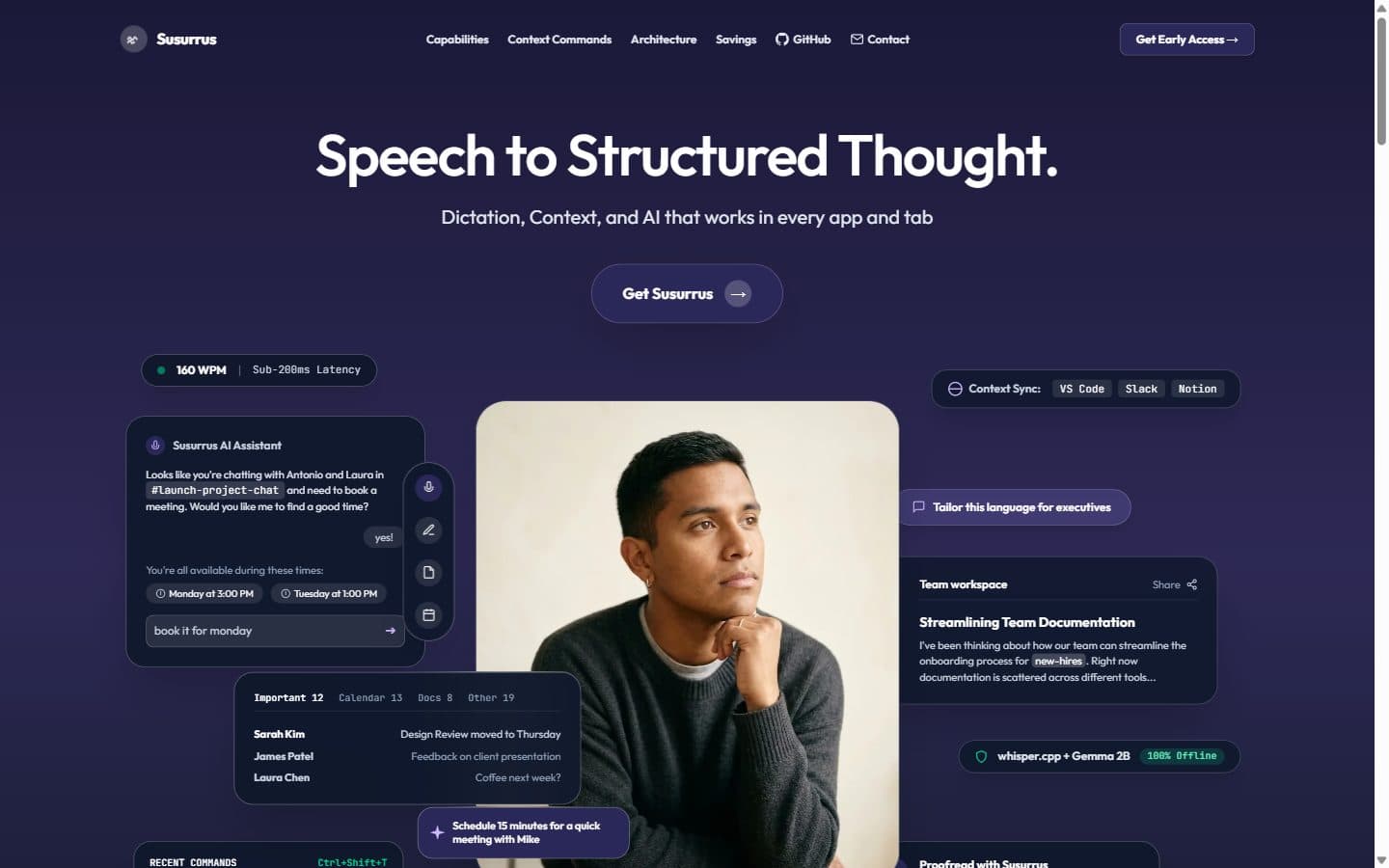
The problem
Dictation is one of the few places where cloud AI still feels normal. You hold a key, speak, and a transcript appears. The convenience hides a simple trade: your voice goes to a server, the service costs money every month, and the text is only as private as the vendor's policy.
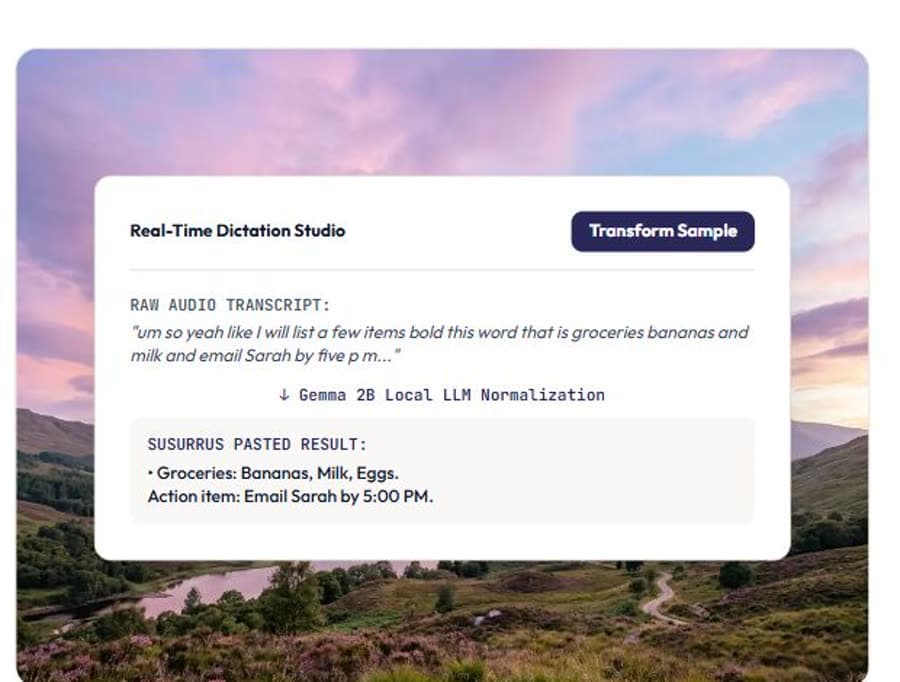
The local alternatives usually stop at transcription. You get a wall of lowercase words with no punctuation. That is not how anyone writes, so you spend the time you saved fixing the output.
The decision
I split the problem in two. One model hears. Qwen3-ASR turns the microphone buffer into raw text. A second model edits. Gemma, running on llama.cpp, restores punctuation, casing and paragraph breaks, and can rewrite a selection when you use command mode.
The text is inserted with the Win32 SendInput API, so it lands in whatever app has focus: an editor, a browser, a chat window. No clipboard hijack, no browser extension, no account.
Hearing is a model problem. Writing is an editing problem. Trying to solve both with one model is why most local dictation feels raw.
The build
The app is a small Windows tray application with a push-to-talk hotkey and a short recording buffer. Audio never leaves the process. The two models are loaded locally and released when idle so the machine is not held hostage between sessions.
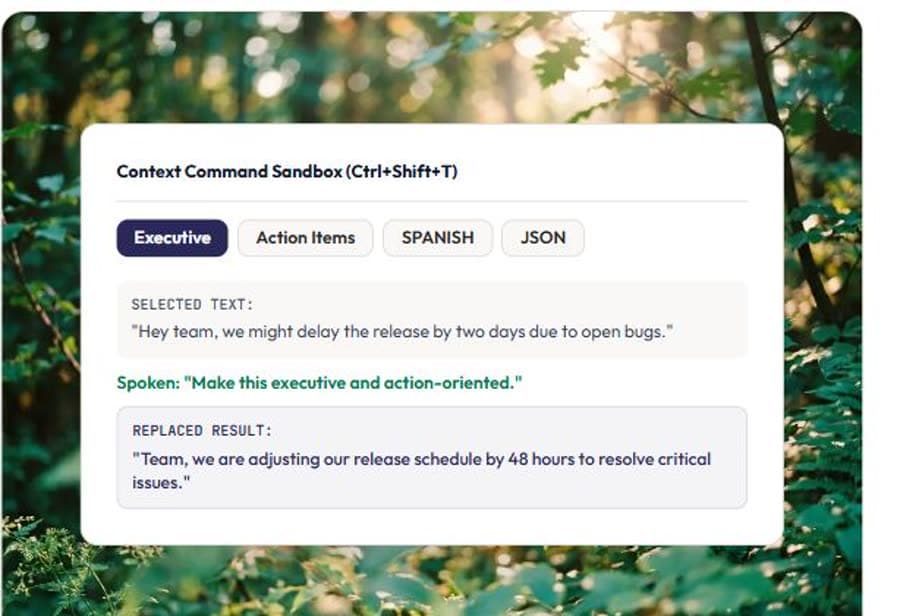
Command mode takes the current selection, sends it through the editor model with an instruction, and replaces it in place. That turns dictation into a small writing instrument rather than a microphone.
- Qwen3-ASR for speech, Gemma on llama.cpp for cleanup
- Push-to-talk with a native Windows hotkey
- Text inserted through Win32 SendInput, not the clipboard
- Command mode rewrites the current selection in place
- Runs on Windows 10 and 11 with no network connection
The evidence
The project has 77 passing tests across eight modules, covering audio capture, model lifecycle, text cleanup, command mode and insertion. It uses about 1.2 GB of disk and about 2.5 GB of RAM while running. There are zero cloud calls in the application.
The landing page is live. The application is MIT licensed and the models run entirely on the user's machine.
What I learned
The quality of a local AI product is often decided by the second model. The first model gets the words; the second makes them usable. That insight changed how I scope small-model systems: give each model a narrow job, then put a clean contract between them.
It also taught me that privacy is a product feature, not a settings toggle. If the audio never leaves the machine, the promise is architectural, not a policy.